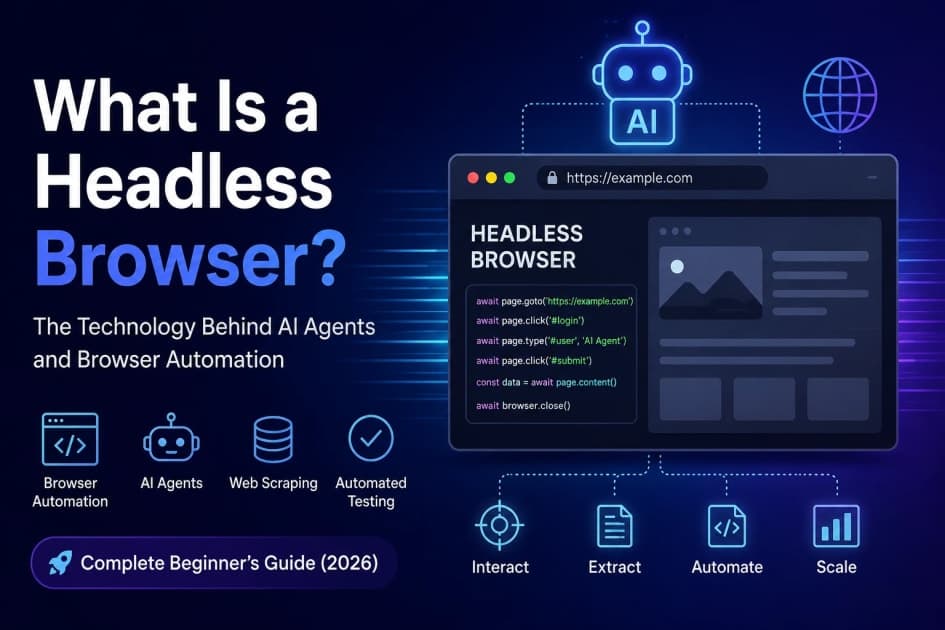
Headless Browser: The Tech Behind AI Agents & Browser Automation (2026)
AI Summary
Get a quick AI-generated summary of this blog post in seconds.
A headless browser is essentially a web browser running without its graphical user interface (GUI), controlled entirely by code. It's the critical underlying technology making modern AI agents and advanced browser automation possible, letting programs interact with websites just like a human would, but at machine speed and scale. This distinction matters because it opens up the web to programmatic interaction in ways traditional HTTP requests can't touch.
Think of it as a browser engine — like Chromium or WebKit — that you can drive with scripts. This capability is fundamental for tasks ranging from automated testing to sophisticated web scraping, and increasingly, for empowering AI agents to understand and act within dynamic web environments. We're talking about more than just fetching HTML; we're talking about JavaScript execution, CSS rendering, and full DOM interaction.
This isn't just theory, either. If you're building any kind of intelligent system that needs to 'see' and 'use' the web, understanding how these tools work is non-negotiable.
Key Takeaways
- A headless browser is a GUI-less web browser controlled programmatically for automated tasks.
- It's fundamental for AI agents to interact with dynamic web content and perform complex actions.
- Tools like Puppeteer and Playwright provide powerful APIs for controlling headless instances.
- Key applications include automated testing, sophisticated web scraping, and AI-driven web tasks.
- Managing resources, avoiding detection, and ethical considerations are crucial for successful projects.
Table of Contents
- What Exactly Is a Headless Browser?
- Why Headless Browsers Matter for AI Agents and Automation
- Key Use Cases in the Real World
- Popular Headless Browser Tools and Their Ecosystems
- Practical Considerations: Performance, Detection, and Ethics
- Putting It All Together
What Exactly Is a Headless Browser?
At its core, a headless browser is a web browser without the visual chrome you're used to — no address bar, no tabs, no visible rendering window. Instead, you control it directly through an API, sending commands and receiving data. It still parses HTML, executes JavaScript, renders CSS, and manages the DOM (Document Object Model) just like a regular browser.
The critical difference is that all of this happens in memory, invisibly. You're essentially interacting with the browser's engine programmatically. This means you can program it to visit a URL, click buttons, fill out forms, wait for elements to appear, and even take screenshots — all without a human seeing a thing.
Most modern headless browsers are built on existing browser engines. For instance, Google Chrome has a built-in headless mode, which is what tools like Puppeteer often interact with. Firefox and WebKit (Safari's engine) also offer headless capabilities. So, you're getting real browser behavior, just without the visual overhead.
Why Headless Browsers Matter for AI Agents and Automation
Here's the trick: the web isn't just static HTML anymore. It's dynamic, interactive, and often relies heavily on JavaScript to render content after the initial page load. Traditional HTTP requests, the kind you'd make with a library like Python's requests, only fetch the initial HTML response. They don't run JavaScript.
What actually happens when an AI agent needs to 'see' a webpage as a human would? It needs a headless browser. This technology allows AI agents to fully interact with single-page applications (SPAs), dynamically loaded content, and complex user interfaces. They can navigate, authenticate, submit data, and extract information that only appears after JavaScript has executed.
For automation, this means you can build robust scripts that don't break when a site uses a new JavaScript framework. For AI agents, it's about giving them eyes and hands on the web. They can process visual cues (if combined with vision models), understand the flow of a user journey, and act autonomously to achieve goals, like finding specific information or completing a purchase.
Key Use Cases in the Real World
The applications for headless browsers are broad, touching almost any area where programmatic web interaction is valuable. I've seen them used in projects across industries, from finance to media.
Automated Testing
This is probably the most common use case. Developers and QA teams use headless browsers to run UI and end-to-end tests quickly and reliably in CI/CD pipelines. Since there's no GUI to render, tests run faster, saving valuable build time.
Tools like Selenium, Playwright, and Cypress all support headless modes, allowing you to simulate user interactions and verify application behavior against various scenarios. You can catch regressions before they hit production, which is a huge win for quality.
Web Scraping and Data Extraction
Need to pull data from a website that loads content dynamically? A headless browser is your best friend. It can wait for specific elements to appear, click through pagination, and even log in to access protected content, all programmatically.
This is invaluable for market research, price comparisons, news aggregation, and monitoring competitive landscapes. But a word of caution: always check a site's robots.txt and terms of service before scraping. Ethical scraping is a must.
AI-Powered Interactions and Agents
Here's where things get really interesting, especially looking toward 2026 and beyond. AI agents, particularly those built on large language models (LLMs), need context and the ability to act. A headless browser provides that direct interface to the live web.
Imagine an AI agent tasked with researching a product. It can use a headless browser to navigate an e-commerce site, search for items, compare specifications across different tabs, read reviews, and even add items to a cart. This moves beyond simple information retrieval to true autonomous web interaction, giving AI agents capabilities far beyond what simple API calls can offer.
Popular Headless Browser Tools and Their Ecosystems
When you dive into headless browser automation, you'll quickly run into a few key players. Each has its strengths, and the right choice often depends on your project's specific needs and your team's existing tech stack.
| Tool | Primary Browser Support | Key Language Bindings | Main Use Cases | Notes |
|---|---|---|---|---|
| Puppeteer | Chromium (Google Chrome) | Node.js | Web Scraping, Automated Testing, SPA Interaction, AI Agents | Developed by Google Chrome team, excellent for Chrome-specific features. |
| Playwright | Chromium, Firefox, WebKit (Safari) | Node.js, Python, Java, .NET | Cross-browser Testing, Web Scraping, AI Agents, UI Automation | Microsoft-backed, modern API, strong cross-browser support. |
| Selenium WebDriver | Chromium, Firefox, Safari, Edge (via WebDriver) | Java, Python, C#, Ruby, JavaScript, Kotlin | Broad Cross-browser Testing, UI Automation, Legacy Projects | Industry veteran, uses WebDriver standard, can be more setup-heavy. |
| Headless Chrome/Firefox (Direct) | Chromium, Firefox | CLI, various language drivers | Simple Automation, Quick Scripts, Specific Browser Features | No extra library needed, but less ergonomic than higher-level tools. |
Puppeteer: The Node.js Powerhouse
Puppeteer is a Node.js library developed by the Chrome team, providing a high-level API to control Chromium (and Chrome) over the DevTools Protocol. It's incredibly powerful for anything involving Google Chrome. If your automation or AI agent needs to behave exactly like a Chrome user, this is often the go-to.
It's great for taking screenshots, generating PDFs of web pages, or even just automating form submissions. Setting it up is usually straightforward, and the API is quite intuitive for JavaScript developers. Here's a quick taste:
const puppeteer = require('puppeteer');(async () => { const browser = await puppeteer.launch({ headless: true }); const page = await browser.newPage(); await page.goto('https://example.com'); console.log(await page.title()); await browser.close();})();
That's how simple it is to launch a headless browser, navigate to a page, and grab its title. You can then expand that with clicks, typing, and data extraction.
Playwright: The Cross-Browser Challenger
Playwright, backed by Microsoft, is a newer contender that offers a unified API for controlling Chromium, Firefox, and WebKit. This cross-browser capability is a huge advantage, especially for testing, as it means your scripts can run consistently across the major browser engines.
It supports multiple programming languages beyond Node.js, including Python, Java, and .NET. I've found its API to be very developer-friendly, often more concise than Puppeteer for common tasks, and it includes powerful features for auto-waiting and retries out of the box, which simplifies writing robust automation scripts.
Selenium: The Veteran Tool
Selenium has been around for ages and is the backbone for countless automated testing suites. It uses the WebDriver standard, meaning it can drive virtually any browser with a WebDriver implementation. It supports a wide array of programming languages, which is a big plus for teams with diverse skill sets.
While powerful, Selenium can sometimes feel a bit more verbose or require more boilerplate setup compared to Puppeteer or Playwright for simple headless tasks. But for complex, long-running test suites or projects needing very broad browser and language support, it remains a solid choice. Many older projects still rely on it heavily, and it continues to be actively maintained.
Practical Considerations: Performance, Detection, and Ethics
Running headless browsers isn't a free lunch. There are real-world challenges you'll hit if you don't plan ahead.
Resource Management
Headless browsers are still full browser engines, meaning they consume significant CPU and memory, especially if you're running many instances concurrently. I've seen projects crash hard because they spun up hundreds of browser instances without proper resource management.
Always remember to close browser instances and pages when you're done with them. Use connection pools for efficiency if you're running many tasks. Monitor your server's resources. Otherwise, you'll quickly run into bottlenecks, particularly on shared hosting or smaller cloud instances.
Avoiding Detection
Some websites actively try to detect and block automated browser activity. They look for common automation flags, unusual user-agent strings, or behavioral patterns that don't match human interaction. If your AI agent gets blocked, it's not going to do much.
The trick is to make your headless browser look as human as possible. This involves setting realistic user-agent strings, adding random delays, managing cookies, and sometimes even using specific plugins like puppeteer-extra-plugin-stealth to spoof typical browser properties. It's an ongoing cat-and-mouse game, honestly.
Ethical Scraping and Responsible Automation
Just because you can automate web interactions doesn't mean you always should. Respecting website terms of service, checking robots.txt for disallowed paths, and implementing polite rate limiting are non-negotiable.
Overloading a server with too many requests or bypassing security measures can lead to your IP being banned, legal issues, or just plain being a bad internet citizen. Build your AI agents and automation scripts with responsibility in mind.
Putting It All Together
So, what's the takeaway here? Headless browsers are powerful tools that bridge the gap between programmatic code and the dynamic, interactive web. They're not just for developers; they're the critical infrastructure enabling the next wave of AI agents to truly understand and interact with the digital world.
Whether you're automating tests, scraping complex data, or building intelligent systems that need to 'browse' the internet, understanding these tools is essential. They offer unparalleled capabilities compared to simpler HTTP requests, but they also come with their own set of challenges, from resource management to ethical considerations.
My advice? Pick a tool like Playwright or Puppeteer, start with a simple script, and get your hands dirty. The learning curve isn't steep, and the power you'll gain for your projects is immense. Don't be afraid to experiment and see what you can automate or what new capabilities you can give your AI agents.
Frequently Asked Questions
What's the main difference between a headless browser and a regular browser?
The main difference is the graphical user interface. A regular browser displays web pages visually, letting a human interact with them, while a headless browser runs entirely in the background without any visual output, controlled programmatically by code. It handles all the underlying rendering and JavaScript execution, but without the visible window.
Why would an AI agent need a headless browser?
An AI agent needs a headless browser to interact with dynamic web content that relies heavily on JavaScript, much like a human would. This allows the AI to navigate complex websites, fill out forms, click buttons, and extract data that only appears after client-side scripts have run, providing a richer understanding and interaction capability than simple API calls.
Can I use a headless browser for website testing?
Absolutely, headless browsers are incredibly popular for automated website testing, especially for UI and end-to-end tests. They allow tests to run much faster in CI/CD pipelines because there's no visual rendering overhead, making it efficient to catch regressions and ensure application quality across different scenarios.
Which headless browser tool should I pick for a new project?
For new projects, Playwright is often a strong recommendation due to its cross-browser support (Chromium, Firefox, WebKit) and modern, intuitive API available in multiple languages. If your project is strictly Node.js-based and focused on Chrome/Chromium, Puppeteer is an excellent choice, as it's developed by the Chrome team and deeply integrated.
Are there any downsides to using headless browsers for automation?
Yes, there are a few downsides. Headless browsers are resource-intensive, consuming significant CPU and memory, which can be an issue when running many instances. Additionally, websites may try to detect and block automated browser activity, requiring effort to make your scripts appear human-like. And, of course, ethical considerations for scraping must always be respected.
Categories
Subscribe to Our Tech Newsletter
Get the latest articles on Frontend, Backend, Cyber Security, Blockchain, and more delivered straight to your inbox. No spam, ever.